1. What AI Can (and Cannot) Do for Creators
Artificial intelligence has revolutionized digital media production. However, successful creators do not use AI to replace their unique perspective; they use it as an unflagging creative assistant.
What AI excels at: Overcoming blank-page paralysis, generating 50 video title variations in 5 seconds, transcribing hours of speech, cleaning background audio, creating custom thumbnail backgrounds, and reframing horizontal videos for vertical platforms.
What AI cannot do: Form a genuine emotional bond with your audience, understand unique local cultural nuances, or replace your personal lived experience.
2. AI Writing, Ideation & Scripting Assistants
Scripting is the foundation of high-retention content. Top tools include:
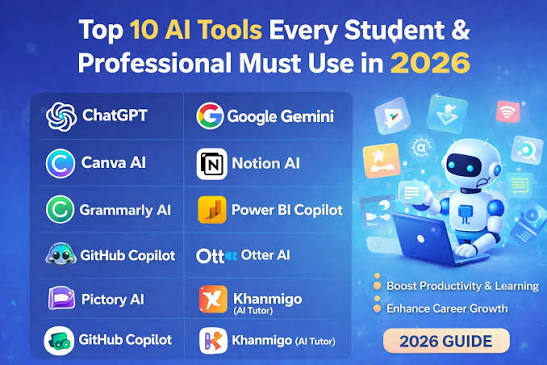
- ChatGPT (OpenAI): Outstanding for brainstorming video hooks, drafting interview questions, summarizing research papers, and writing email newsletters. (Read our ChatGPT Productivity Guide).
- Claude (Anthropic): Renowned for nuanced, human-sounding long-form articles, natural dialogue, and complex script pacing.
- Perplexity AI: Real-time citation-backed search engine that accelerates topic fact-checking and news curation.
3. Image Generation & Graphic Design Tools
Thumbnails make or break video click-through rates (CTR). Top visual AI suites include:
- Canva Pro Magic Studio: Magic Eraser, Magic Expand, and instant text-to-graphics generation integrated right into your design canvas. (Explore our Canva Pro Guide).
- Midjourney: Photorealistic conceptual backgrounds, digital art, and stylized illustrations for dramatic thumbnail assets.
- Adobe Express / Firefly: Generative fill and commercial-safe stock enhancements tailored for business marketing.
4. AI Video Editing, Captions & Voiceovers
- CapCut Pro: Automated speech-to-text subtitles with viral animations, voice isolation, and smart background removal. (See the Complete CapCut Pro Guide).
- ElevenLabs: Industry-standard AI voice synthesis capable of emotive, studio-grade multilingual voiceovers.
- Descript: Text-based video editing where editing the transcribed text transcript automatically trims the video timeline.
5. Free vs. Paid AI Subscriptions: Making the Choice
Free tiers are great for exploration, but professional workflows run into strict rate limits, lower generation priority, and lack of commercial usage rights. A modest investment in verified pro accounts pays for itself in client delivery speed and quality.
6. A Real-World 5-Step AI Content Creation Workflow
- Research & Title Hooks: Ask ChatGPT for 10 high-CTR video concepts based on trending pain points.
- Script Outline: Generate a structured bullet-point script with hook, story beats, and CTA.
- Production & Voiceover: Record yourself or generate clean narration via ElevenLabs.
- Editing in CapCut Pro: Cut silences, add automated animated captions, and apply voice isolation.
- Thumbnail Design in Canva Pro: Combine Midjourney backgrounds with bold typography in Canva.
7. Copyright, Accuracy & Ethical Considerations
Always verify factual claims made by AI models. Furthermore, respect platform transparency guidelines by disclosing AI-generated realistic humans or simulated historical events when publishing on YouTube or Meta platforms.